πŸ“
Deliver toUK only
Browse Zonify
Sign in
Shop by category
Electronics 1448 Beauty & Health 1324 Fashion & Footwear 643 Outdoor & Sports 581 Computer & Office 478 Home & Kitchen 400 Toys & Games 90 Phone Accessories 87 Audio 21
Your account
Your Account Track / Your Orders Your List β™‘ Basket
Help
Delivery Returns Contact us
Home β€Ί Electronics β€Ί NEW VOICE REMOTE CONTROL FIRE TV REPLACEMENT PRIME STICK 4K…

NEW VOICE REMOTE CONTROL FIRE TV REPLACEMENT PRIME STICK 4K LITE

β˜…β˜…β˜…β˜†β˜† 3.3 1 ratings

Β£12.99
🚚
FREE UK delivery
Get it by Tuesday 7 July β€” Standard
↩️
Hassle-free returns policy
πŸͺ
Sold by Zonify
Dispatched from UK warehouse
βœ“ In stock
🚚Free UK
delivery
↩️14-day
returns
πŸ”’Secure
checkout
πŸ“¦UK
warehouse

About this item

  • TV
  • L5B83G
  • Black
  • No
  • 2023
  • RF

Product description

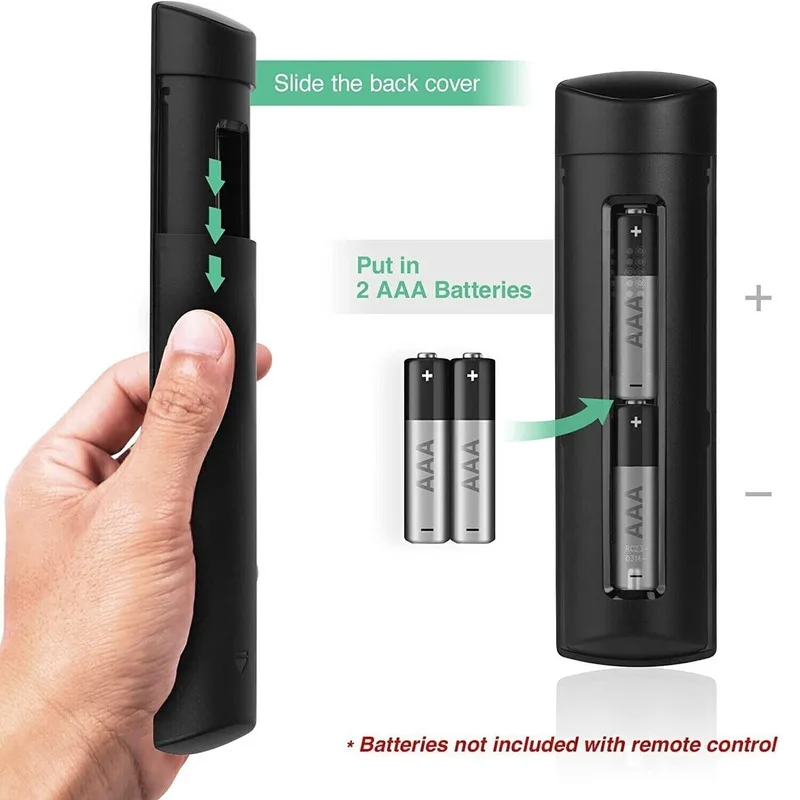
TV REMOTE CONTROL
REPLACEMENT L5B83G WITH ALEXA VOICE CONTROL

NEW

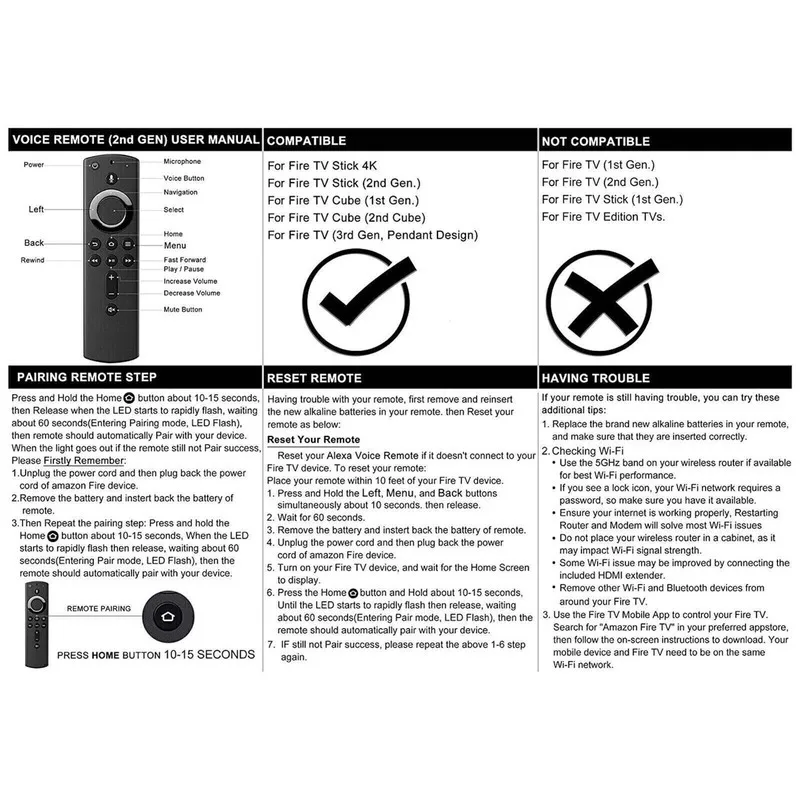
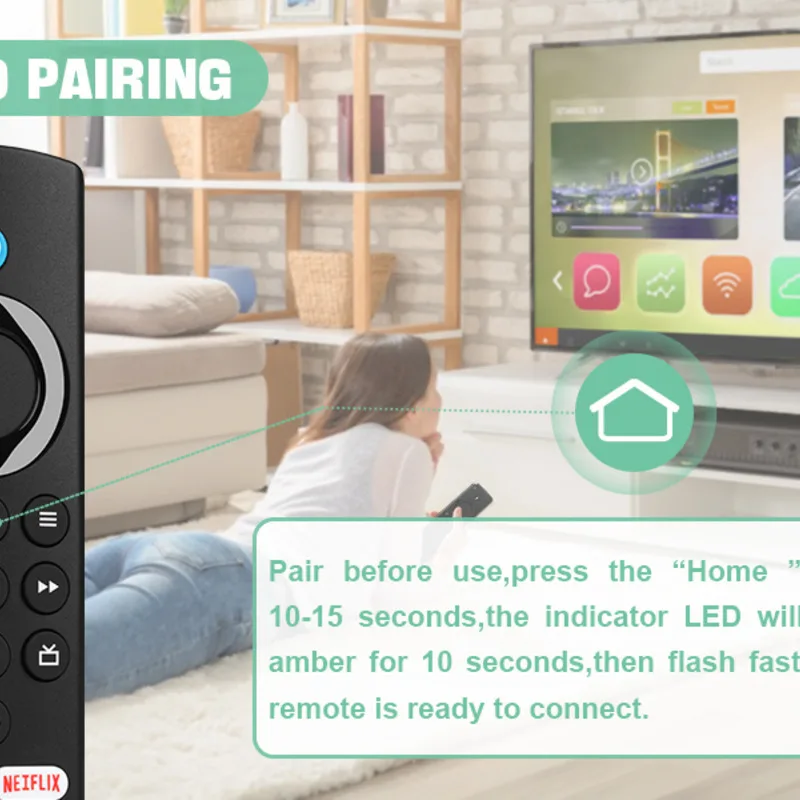
Pairing instructions

Product Compatible:

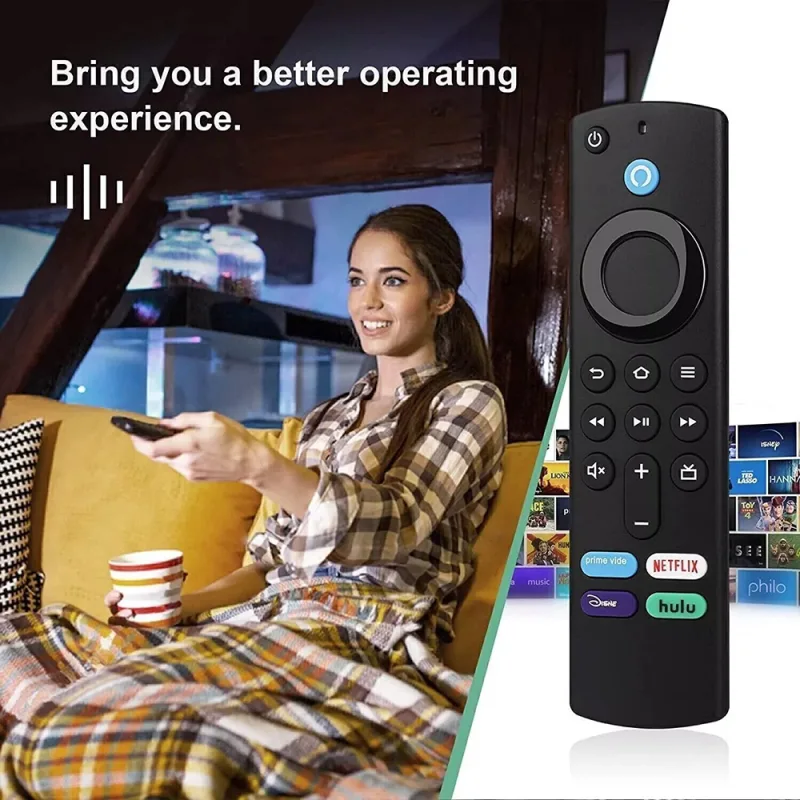
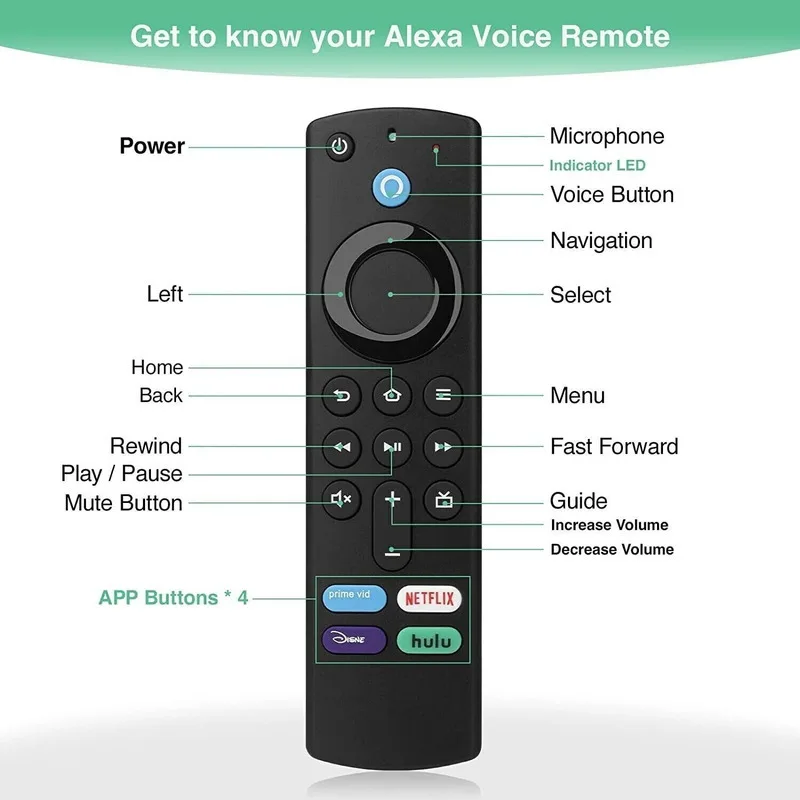
Get to find, launch and control content, or even switch to cable via Simply Voice Control;

With 4 Preset App Buttons - Prime Video, Netflix, Disney+, and make it easier to get to favorite apps;

With Power and Volumn buttons to control your compatible TV, soundbar, and Receiver.

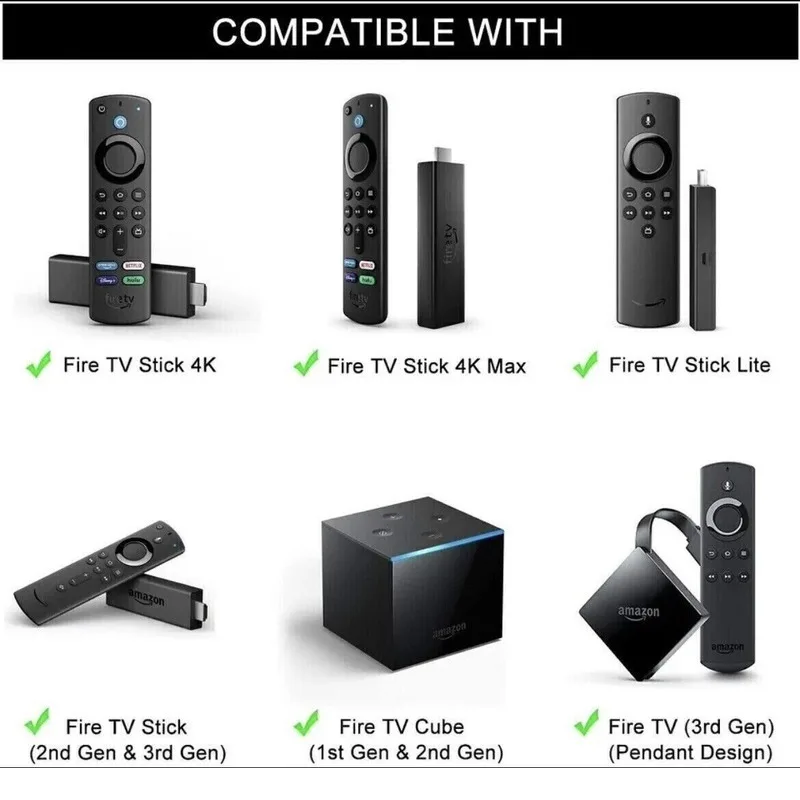
Compatible with Below Models : 1: Fire TV Stick 4K; 2: Fire TV Stick Lite; 3: Fire TV Stick 4K Max; 4: Fire TV Stick (2nd Gen); 5: Fire TV Stick (3rd Gen); 6: Fire TV Cube (1st Gen); 7: Fire TV Cube (2nd Gen); 8: Fire TV (3rd Gen). 9: Fire TV Stick 4K Bundle;

Not Support Below Models : 1: Fire TV (1st Gen); 2: Fire TV (2nd Gen); 3: Fire TV Stick (1st Gen); 4: Fire TV Edition smart TVsSuch as Toshiba/Insignia/Westinghouse/Element).

About Remote Reseting:
How to Pair Manually by F-TV APP

Download the F-TV APP.

Log in the same account as your Fstick, and then connect with your Fstick, now you can control your Fstick by mobile.

Go to F-TV Setting, and choose Controllers Bluetooth Devices.

Go to Remotes and Add New Remote

Hold HOME button until red light flashing(in pairing mode).

When red light off, pairing succeed.

You can also Pair by stock Fstick Remote Manually.

controller 1st 2nd 3rd gen generation box universal

Power/volume+-/mute don't work?
Generally, The remote will automatically control TV after pairing to Fstick.
You can press Power/Volume+-/Mute to control tv, Other buttons control Fstick through bluetooth.
But too many series of TVs, Very few Power/Volume+-/Mute buttons don't work.
In this case, manual setting is required.

Go to F-TV Setting, and Equipment Control.

Then choose TV's brand on the MENU.

Follow the prompts that appear on the TV screen, Press Power/Vol/Mute.

lf the 1st choice not succeeds, click No, the system will change to 2nd code choice to meet the Power, Vol+, Vol- and Mute.

After that all buttons work.

For more detailed operation steps, please refer to the manual.

Customer reviews

3.3
β˜…β˜…β˜…β˜†β˜†
1 ratings
5 β˜…
10%
4 β˜…
50%
3 β˜…
24%
2 β˜…
7%
1 β˜…
2%
πŸ“

No written reviews yet

Be the first to review this product after your purchase.
Customers also viewed